Compatible with SAP  ·  IBM Maximo  ·  Oracle ERP  ·  Hexagon EAM  ·  Infor  ·  Any CMMS — Review data requirements →
Product Walkthrough

Industrial IQ in 2 Minutes.

A video-ready explanation of how Industrial IQ moves from exported operational data to field mapping, confidence-tiered evidence, diagnostic score, executive report, and governed action tracker without ERP write-back.

2 minStoryboard and transcript
6Product UI preview states
0ERP write-back
Executive takeaway

Industrial IQ capability guide

Industrial IQ in 2 Minutes: This Industrial IQ capability guide explains the operating question, evidence model, review boundary, and next action for the relevant platform workflow. Review the Industrial IQ walkthrough: upload, mapping, evidence table, diagnostic score, executive report, and action tracker without ERP write-back.

Run Industrial IQ Snapshot
Who should use itIndustrial IQ evaluators, operating sponsors, data owners, and governance reviewers
Data requiredThe platform records, source exports, mappings, reports, score history, actions, and review context relevant to this capability.
Output producedA platform-specific view of how Industrial IQ converts exported data into evidence, reports, governed actions, and recurring visibility.
Best next stepUse the page to understand the capability, then run Industrial IQ Snapshot or inspect sample reports.
Video-ready walkthrough

Industrial IQ in 2 Minutes.

Use this block as the landing section for a future product video. The transcript is visible for buyers, crawlers, and LLM answer engines now; a hosted video asset can be added later without changing the page structure.

Storyboard

Eight scenes for a concise enterprise product demo.

Scene 1

Dirty operational data

Material master, inventory, procurement, asset, and work-order exports contain duplicate records, missing fields, and ownership gaps.

Scene 2

Secure upload

The buyer uploads exported data through a governed diagnostic path with no ERP write-back.

Scene 3

Field mapping

Industrial IQ maps required and optional fields, then shows a source-fit score before diagnostic evidence is trusted.

Scene 4

Diagnostic run

The selected engine reads mapped fields, generates findings, and attaches reason codes.

Scene 5

Confidence-tiered evidence

Findings are organized by confidence, source evidence, impact, and reviewer status.

Scene 6

Executive report

CFO, COO, CIO, procurement, maintenance, and governance readers receive a report with assumptions and exclusions.

Scene 7

Action tracker

Owners accept, reject, defer, or escalate findings before any operational action.

Scene 8

Next step

The buyer chooses a free Snapshot, founder-led pilot, sample report review, or buyer evaluation guide.

Voiceover-ready transcript

Two-minute script.

Industrial teams do not need another dashboard before they know what their exported operational data proves. Industrial IQ starts with read-only diagnostics. Upload CSV or workbook exports from ERP, EAM, CMMS, inventory, procurement, asset, or maintenance systems. The platform maps fields, validates source fit, and runs the diagnostic engine matched to the buyer problem. Findings become evidence rows with source references, reason codes, confidence tiers, business impact, and reviewer status. Executives receive a score, report, assumptions, limitations, and an owner-assigned action queue. Nothing writes back to ERP. Source files are processed to generate the report pack and then purged. Human review happens before operational action. Start with a free Industrial IQ Snapshot, view sample reports, or request a founder-led pilot.

Product experience

Inspect the upload, mapping, evidence, score, report, and action workflow before private data is uploaded.

These are illustrative Industrial IQ UI previews using sample/demo labels. They show the enterprise workflow buyers should expect: read-only upload, mapped fields, confidence-tiered evidence, executive reporting, and governed action tracking.

Industrial IQ in 2 Minutes
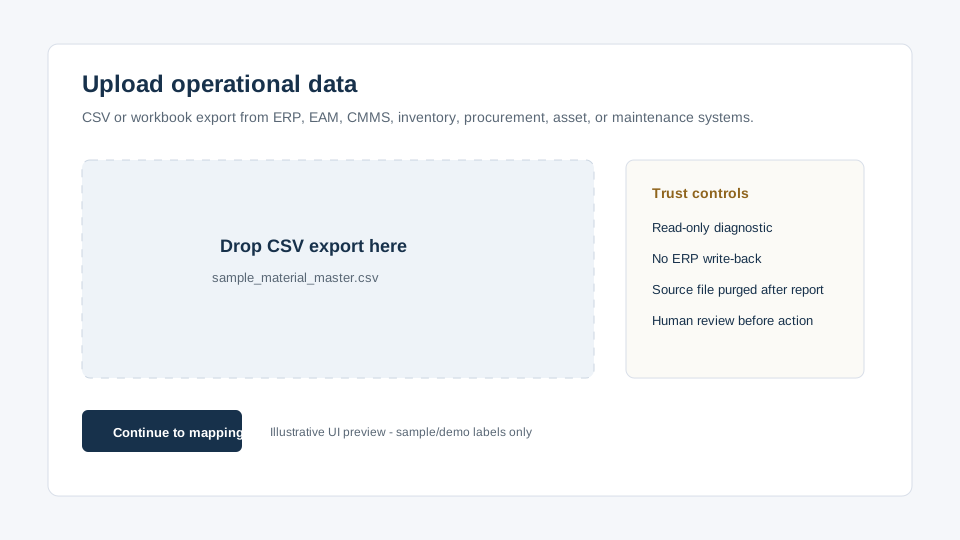
Industrial IQ illustrative upload workflow preview Illustrative product UI preview

Upload operational data

CSV/workbook exports from ERP, EAM, CMMS, inventory, procurement, asset, and maintenance systems. No ERP write-back.

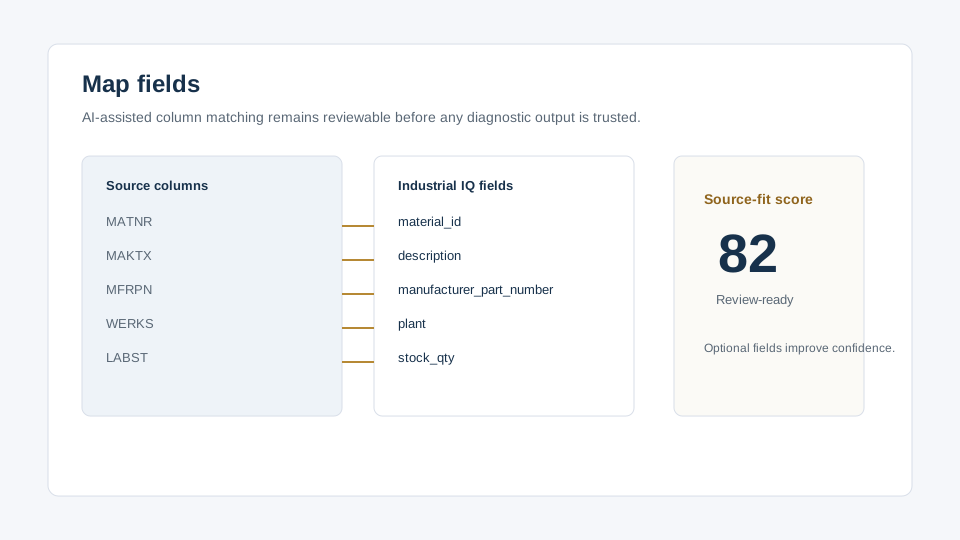
Industrial IQ field mapping preview Illustrative product UI preview

Map fields

AI-assisted column matching exposes required fields, optional fields, source-fit score, and data readiness before the run.

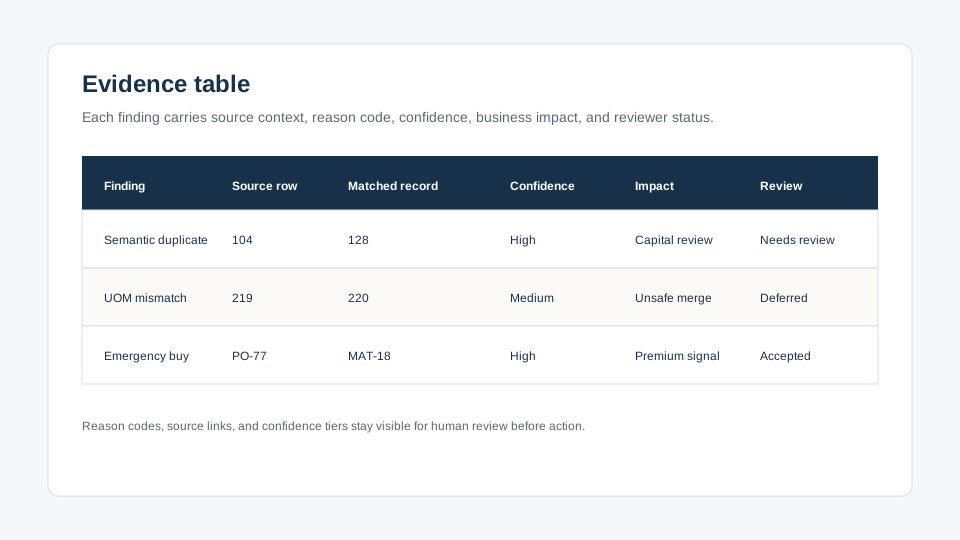
Industrial IQ evidence table preview Illustrative product UI preview

Evidence table

Findings show source row, matched record, reason code, confidence, business impact, and reviewer status.

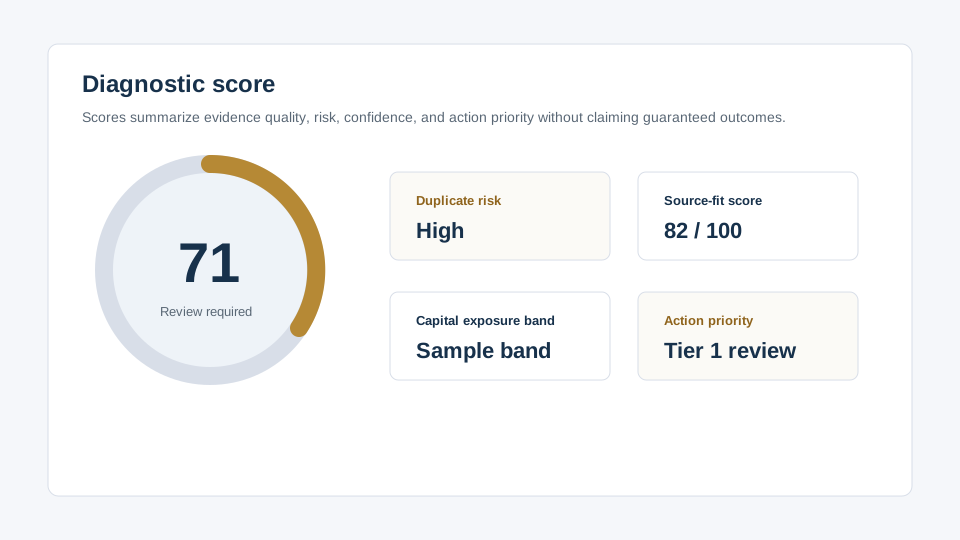
Industrial IQ diagnostic score preview Illustrative product UI preview

Diagnostic score

Score cards separate duplicate risk, source-fit, capital exposure band, and action priority.

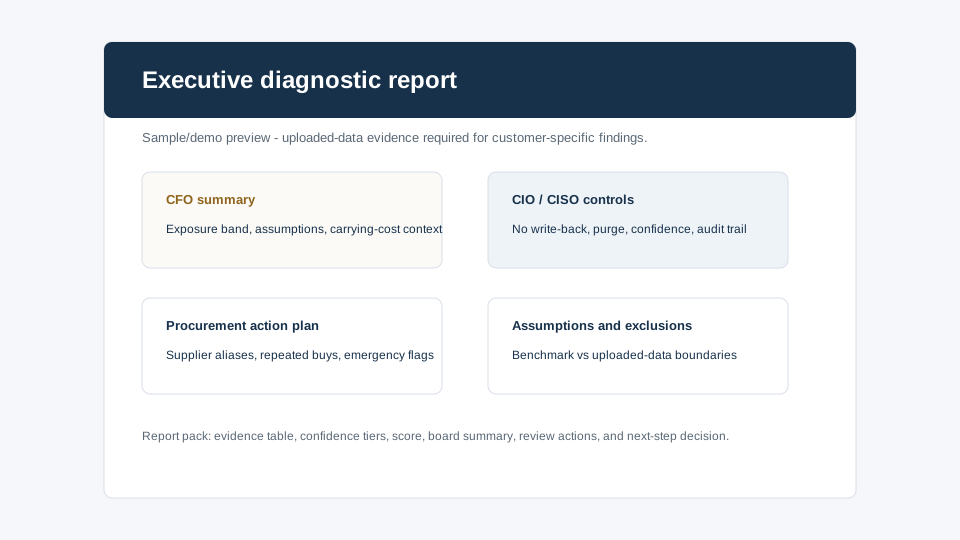
Industrial IQ executive report preview Illustrative product UI preview

Executive report

CFO summary, CIO/CISO controls, procurement action plan, assumptions, and exclusions in one review pack.

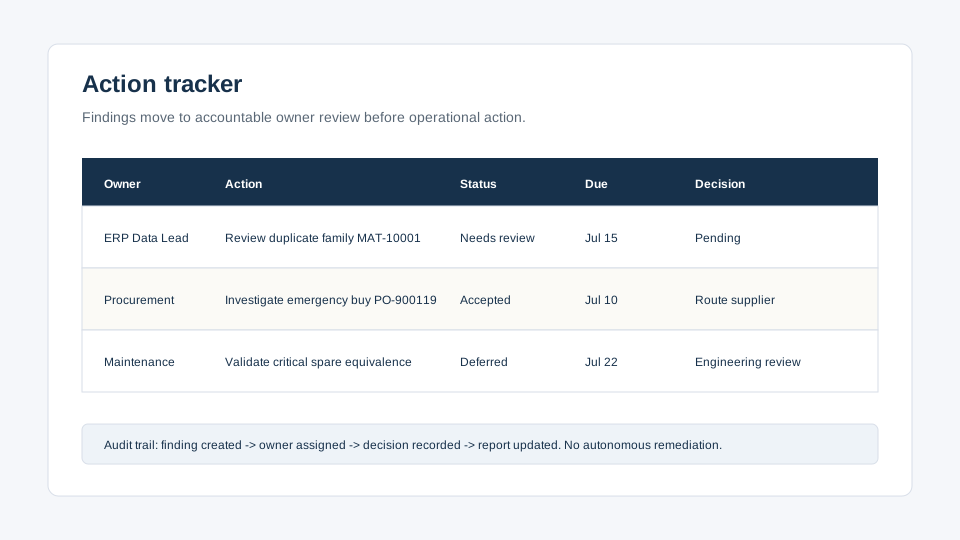
Industrial IQ action tracker preview Illustrative product UI preview

Action tracker

Owner, action, status, due date, accepted/rejected/deferred decision, and audit trail are tracked after review.

Preview boundary: visuals use sample/demo content and do not represent customer data, customer results, or guaranteed savings.

Value-proof matrix

How operational data issues become buyer-reviewable evidence.

Data issueOperational riskFinancial exposureEvidence requiredIndustrial IQ outputBuyer owner
Duplicate MRO recordsPlanner search friction and false stockout riskDuplicate capital and carrying-cost exposureMaterial master, manufacturer, MPN, UOM, plant, stock valueDuplicate-family evidence and cleanup-priority queueERP / Data, Procurement, CFO
Excess or obsolete stockStore-room congestion and weak replenishment trustWorking capital tied up in low-movement itemsInventory balance, movement history, unit cost, aging bucketInventory-risk score and finance-review exposure bandCFO, COO, Materials
Emergency purchasesMaintenance delays and policy exceptionsPremium buys and contract leakagePO history, emergency flag, supplier, material ID, stock on handProcurement leakage evidence and supplier alias queueCPO, Procurement, Internal audit
Asset-to-part gapsCritical-spare uncertainty for maintenance workDowntime exposure and duplicated local stockingAsset register, BOM, material master, work-order usageAsset-to-part linkage evidence and spare coverage reviewMaintenance, Reliability, EAM owner
AI readiness uncertaintyUse-case selection before data trustTransformation spend without evidenceData source, owner, quality score, governance owner, use caseReadiness score and first-use-case recommendationCIO / CTO, Transformation, CISO
Walkthrough FAQ

Questions buyers should resolve before upload.

Is there a product video embedded today?

No external video is embedded on this page. The page provides a video-ready landing block, storyboard, transcript, and product UI previews so a hosted video can be added later.

Does the walkthrough use customer data?

No. The previews and transcript use sample/demo labels only. Customer-specific evidence requires an uploaded-data diagnostic.

Does Industrial IQ write back to ERP?

No. Industrial IQ starts from exported operational data and produces evidence, scores, reports, and actions without ERP write-back.

What happens to uploaded source files?

Uploaded source files are processed to generate the diagnostic report pack and then purged. Summary metrics, Open Findings, report ownership, quota usage, feedback, and audit metadata may be retained for governance.

Evaluation assets

Proof, templates, trust, and pilot paths for serious buyers.

AI2COE Copilot