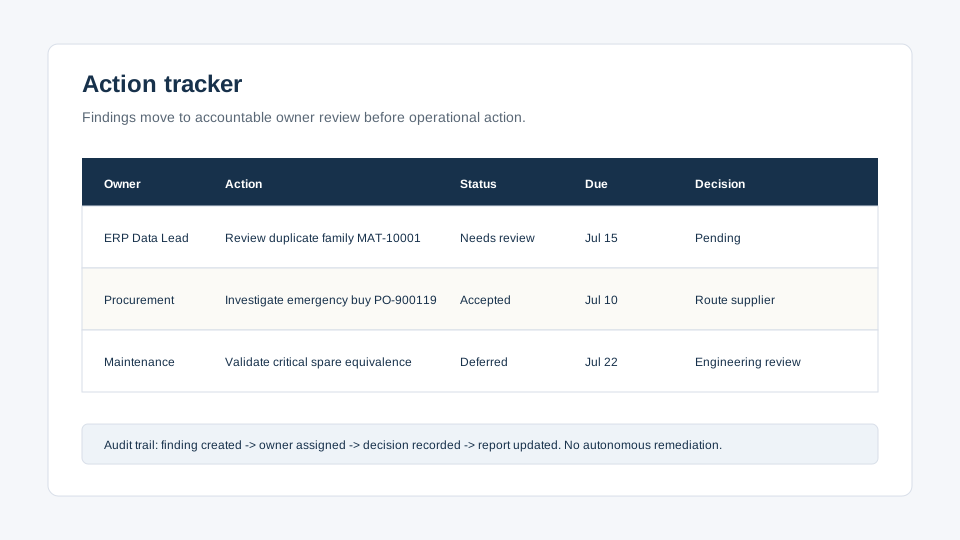
Action tracker preview
How this surface works after a diagnostic run.
Industrial IQ keeps sample mode, uploaded-data mode, confidence tiers, evidence rows, report outputs, actions, score history, and governance status connected in one portal. Private records require account login.
Trust boundary: This public page shows the product model only. Customer reports, datasets, action items, score snapshots, and review notes remain authenticated.
Buyer interpretation
Why this surface matters after the report is generated.
Industrial IQ is not finished when a diagnostic score appears. The buyer still needs accountable review, evidence ownership, data-quality context, and a safe path from finding to decision. This public preview explains that operating model without exposing private diagnostic records.
The action tracker is the bridge between diagnostic evidence and buyer-controlled remediation. A finding should not disappear into a report appendix after the readout. It should have an owner, a status, a priority, a due window, and a review decision that explains whether the team accepted the finding, rejected it, deferred it, or requested more source data. That makes the tracker useful for executive follow-up without creating autonomous remediation or uncontrolled ERP change.
CFO / Finance
CFO / Finance review lens
Sees which findings require capital review, write-off assessment, or working-capital owner approval before remediation is funded.
COO / Operations
COO / Operations review lens
Uses priority, status, and owner fields to keep downtime, false-stockout, and spares-readiness work from stalling after the report.
Procurement
Procurement review lens
Receives leakage, emergency-buy, supplier-fragmentation, and duplicate-buying actions with evidence context instead of a generic task list.
ERP / Data
ERP / Data review lens
Separates approved cleanup candidates from findings that still need field validation, data-owner review, or more complete source extracts.
Product surface contract
What the customer sees when logged in.
| Layer | Behavior |
|---|
| Finding source | Engine name, finding ID, evidence count, confidence tier, and source dataset label. |
| Owner persona | CFO, COO, CIO, procurement, maintenance, reliability, or governance owner based on finding type. |
| Owner action | Review, assign, validate, resolve, defer, or request additional source data. |
| Status history | Open, in review, accepted, completed, deferred, rejected, and renewal-value visibility. |
Executive review lens
Use this page to decide the next evidence step.
Industrial IQ pages are designed to move enterprise buyers from operating pain to source-backed diagnostic evidence, not to force an immediate platform commitment.
Audience
Finance, operations, procurement, maintenance, reliability, ERP/data, security, and executive sponsors.
Evidence to prepare
Relevant ERP, EAM, CMMS, inventory, procurement, asset, work-order, or readiness exports where available.
Output
A diagnostic route, sample proof format, report evidence, confidence tier, owner review path, or commercial next step.
Trust boundary
Read-only diagnostics, no ERP write-back, source-file purge after report generation, and human review before action.