Works from CSV or workbook exports produced from SAP, IBM Maximo, Oracle ERP, Hexagon EAM, Infor, and other ERP, EAM, or CMMS systems. No direct integration or write-back is required — Review data requirements →
PartsCleanse AI Workbench

Prepare the source file, open the diagnostic workbench, and inspect governed catalog evidence.

This route is the workbench entry path for PartsCleanse AI. Use it to prepare exported source data, open the diagnostic workflow, review evidence outputs, and route findings to accountable human review. The product overview, methodology, and commercial fit live on the product owner page.

WorkbenchPrepare and run
Read-onlyNo ERP write-back
Owner reviewAction after evidence
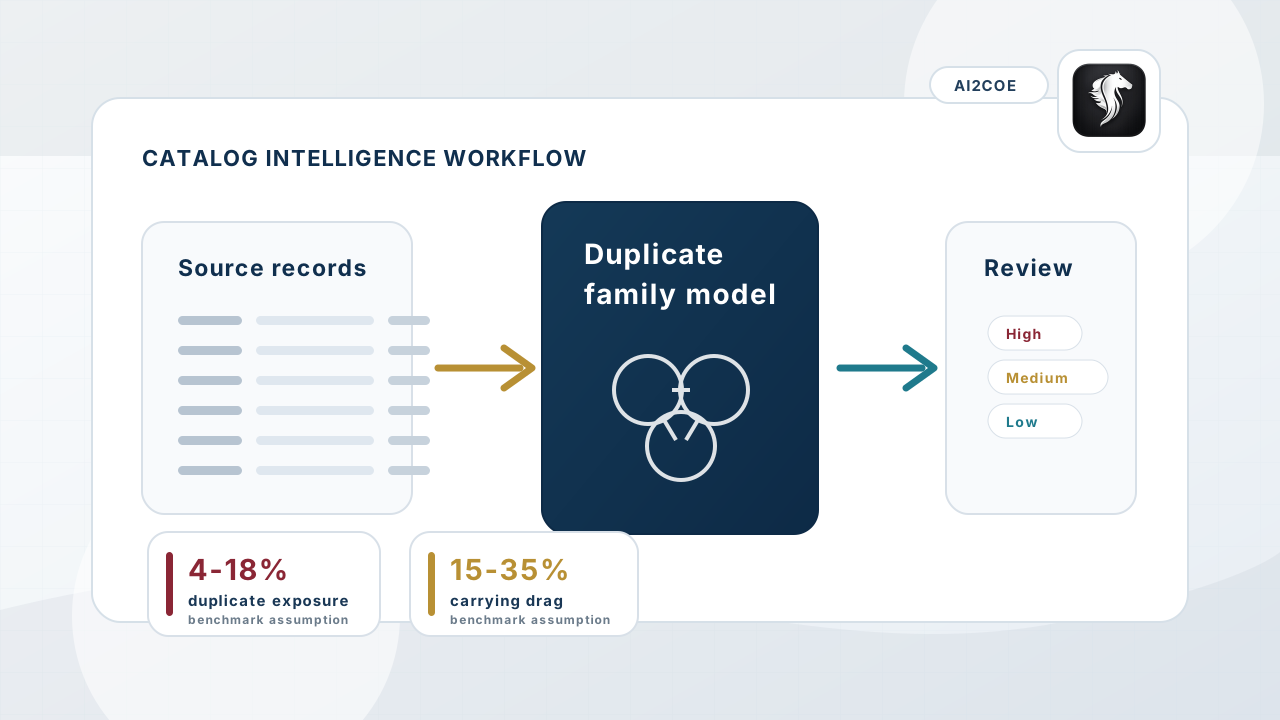
PartsCleanse AI catalog intelligence workflow showing duplicate detection, normalization, and MRO data quality improvement.
Catalog intelligence turns spare-parts records into duplicate-family evidence, confidence tiers, and owner review actions.
Workbench role

This page is for controlled access, not a second product site.

PartsCleanse AI's product positioning is owned by /solutions/partscleanse-ai. This page exists to help a buyer or operator prepare a safe source export, open the workbench, and understand the boundaries before running or reviewing a diagnostic.

The workbench path supports sample access, file preparation, field mapping, report access, and owner review. It does not publish a second pricing narrative, comparison hub, industry catalogue, or unsupported runtime promise.

Page useWorkbench and preparation route. Product ownership stays with /solutions/partscleanse-ai.
System boundaryExported-data diagnostic only; no ERP, EAM, CMMS, procurement, inventory, or finance write-back.
Timing boundaryRuntime and report generation depend on the submitted file, mapped fields, and run environment.
Commercial boundarySelf-service sample access and paid scoped diagnostic work are separate buying paths.
Review boundaryFindings are candidates for accountable owner review, not automatic merge or deletion instructions.
Workbench flow

Source file to governed review.

01

Prepare the source export

Use a CSV or workbook export with material number, description, UOM, manufacturer, part number, plant/site, stock, value, supplier, and available criticality fields.

02

Open the workbench

Register or sign in, choose the PartsCleanse AI engine, map fields, review source fit, and keep private operational context out of free-form text fields.

03

Inspect the evidence

Review duplicate-family candidates, confidence tiers, limitations, report outputs, and owner-review actions before any source-system remediation is considered.

Before you upload

Use exported operational records only.

Prepare catalog data as an export rather than granting system access. Keep passwords, secrets, employee data, supplier confidential notes, and unrelated private data out of uploads and text fields.

Better fields produce stronger interpretation: material number, item description, UOM, manufacturer, manufacturer part number, plant/site, quantity, unit value, supplier, commodity, and criticality context where available.

Evidence first: The workbench produces diagnostic evidence and review actions. Source-system cleanup, material merge, item retirement, procurement policy change, or inventory action requires accountable owner review.
FAQ

Workbench questions before running a diagnostic.

Workbench FAQ 01

What is the purpose of this page?

This page prepares a buyer or operator to open the PartsCleanse AI workbench. The product owner page remains /solutions/partscleanse-ai.

Workbench FAQ 02

Should this page be used as the product overview?

No. Use this page for sample access, source-file preparation, workbench entry, and report access. Use the product page for positioning, methodology, limitations, and commercial fit.

Workbench FAQ 03

Does the workbench change ERP or CMMS records?

No. PartsCleanse AI works from exported files and does not write back to ERP, EAM, CMMS, procurement, inventory, or finance systems.

Workbench FAQ 04

Can sample-mode timing predict a customer result?

No. Runtime depends on file size, mapped fields, data quality, infrastructure, and run settings. Sample-mode behavior should not be treated as a customer-specific commitment.

Workbench FAQ 05

What happens to uploaded source files?

Source files are processed for report generation and purged after the run. Summary metrics, ownership metadata, report references, and audit metadata may be retained for governance and account history.